
From Punch Cards to the Browser: Fortran Comes to JupyterLite
The LFortran kernel now runs entirely in your browser, with no installation and no server.
A language for people who think in formulas
In the early 1950s, programming meant writing numerical machine instructions by hand, one row at a time. John Backus, who led the effort that changed this at IBM, described the experience as “hand-to-hand combat with the machine.”
In 1953 he proposed a different bargain: let scientists write programs the way they already wrote their mathematics — as formulas — and let a machine do the translating. The skeptics said it could not work. Memory was scarce, computer time was precious, and code produced from anything readable by humans could surely never rival code crafted by hand. Three years later, in April 1957, IBM delivered the first FORTRAN compiler for the IBM 704, and the skeptics were answered by the world’s first optimizing compiler, whose output ran nearly as fast as anything a hand-coder could produce.

The name was the whole idea: FORmula TRANslation. Fortran let scientists and engineers work in the vocabulary of their own fields — arrays, floating-point numbers, complex arithmetic — rather than in registers and opcodes. It became the first programming language to be standardized, in 1966, and it has been actively maintained to this day (latest standard is 2023, next one in progress, targeted for 2028). Much of the software that runs on the world’s fastest computers is written in Fortran, and the dense numerical libraries that other languages call for their heavy lifting, LAPACK most prominently, are written in it too. If you have solved a linear system today, in Python or R or Julia, there is a decent chance Fortran did the work.
The other half of scientific computing
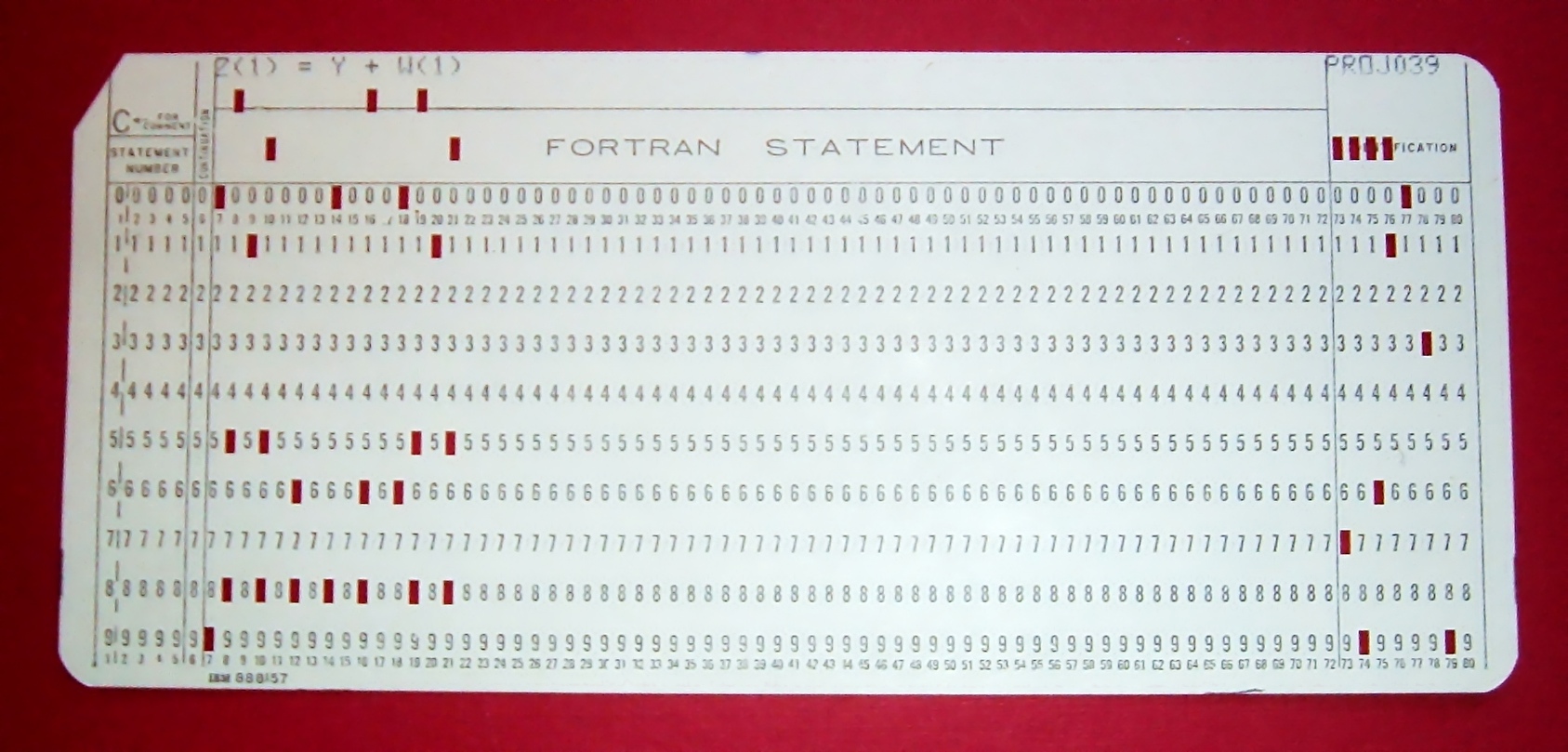
But Fortran was born in the batch era. Running a program meant keypunching a deck of cards, handing it to an operator, and coming back hours later, or the next day, to find out whether it had run at all. Computing meant deciding everything in advance.
A second tradition grew out of the opposite frustration: computing as a conversation. Type an expression, look at the result, adjust, repeat. That impulse ran through time-sharing terminals, through Mathematica and MATLAB, and into IPython, first released in 2001, which grew into Project Jupyter. The notebook, with code, results, and prose in a single living document, is now the default home of exploratory data analysis and computational science, and Jupyter’s architecture is deliberately language-agnostic: any language can implement a kernel and join the conversation. Python, Julia, and R most visibly; C++, Lua, and others besides.
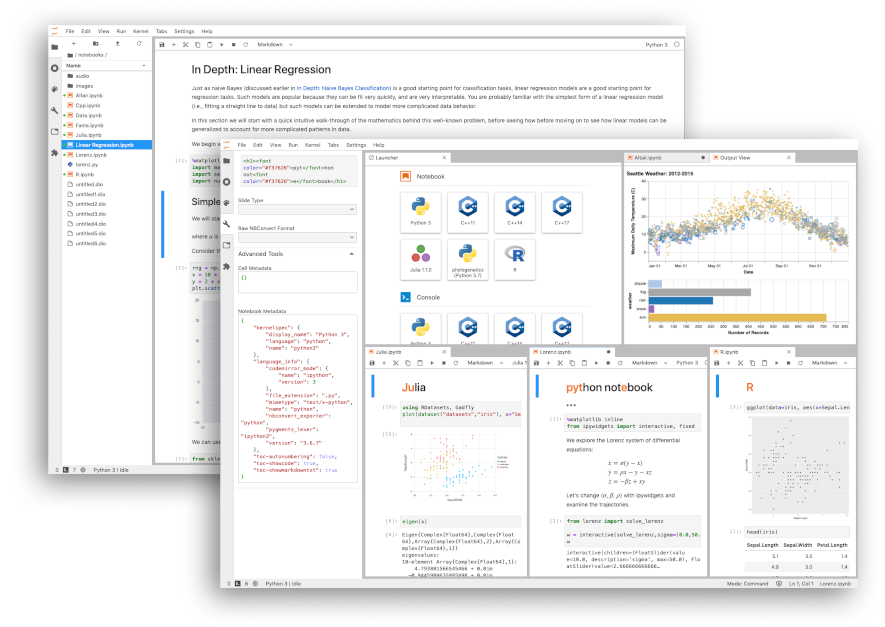
In notebooks, though, Fortran has been present but invisible: the compiled layer underneath NumPy and its cousins, reached through wrappers, glimpsed only when a profiler points at it. The language in which so much of numerical computing is actually written has rarely been the language you can sketch an idea in.
Interactive Fortran
That is the gap LFortran was built to close. LFortran is a modern, open-source (BSD-licensed) Fortran compiler built on LLVM, an optimizing compiler infrastructure several generations on from the one Backus’s team delivered for the IBM 704. The question that compiler settled, whether code written for humans could run as fast as code written for the machine, is one its descendants answer routinely; what they rarely offer is a conversation.

What LFortran adds is exactly that second mode: alongside compiling Fortran to fast binaries for production work, it can evaluate code interactively, statement by statement, much like Python, Julia, or MATLAB.
Once a language has an interpreter, a Jupyter kernel is a small step away: from the language’s point of view, the kernel’s job is only to receive a cell of code and return its results. LFortran has shipped with such a kernel for some time. It is built on xeus, a C++ implementation of the Jupyter kernel protocol that already powers a long list of kernels, including xeus-python, xeus-cling, and xeus-r. The protocol plumbing is taken care of, so the kernel can concentrate on Fortran itself, and a single conda install -c conda-forge lfortran gives you both the compiler and the kernel.
Taking the kernel to the browser
Today we are announcing JupyterLite support: the LFortran kernel now runs in JupyterLite, a JupyterLab distribution that runs entirely in the browser. JupyterLite is served as a static website, with no Jupyter server, no container, and nothing provisioned on any machine.
This matters because it changes not just what a notebook is, but how it can be shared. A notebook becomes something you can publish like any web page: static, lightweight, and infinitely scalable. Whether you’re hosting it on GitHub Pages, a university server, or a personal blog, you can serve thousands of users with minimal resources. There is no backend to manage, no accounts to create, no queues to wait in. The gap between “here is a notebook” and “here, try it” disappears, and with it, many of the barriers that have traditionally limited access to computational tools.
This makes JupyterLite ideal for education, where students can experiment with code without installing anything; for live documentation, where readers can tweak and run examples from a project’s docs; and for citizen science, where communities can collaborate on data analysis without specialized infrastructure. Fortran, a language built for heavy computation, is now as accessible as a webpage.

Building the kernel on xeus carried it most of the way to the browser. The same xeus kernel code that ships on conda-forge for the desktop is built for WebAssembly by emscripten-forge and loaded into JupyterLite by jupyterlite-xeus, and many of the JupyterLite kernels available today are xeus kernels: Python, R, C++, Lua. The desktop and browser kernels are the same code.
The last obstacle was the interesting one. In interactive mode, LFortran leans on LLVM’s just-in-time compilation: each cell is compiled as it arrives and executed on the spot. A browser will not do that. WebAssembly keeps code and data in separate address spaces, so a program cannot write machine code into its own memory and then jump to it, and the classic JIT move is unavailable. What the browser does allow is loading a module: new code enters a running WebAssembly program by being handed to the host and instantiated, never by being written into memory. The problem becomes one of routing the compiler’s output through that door.
This is the wall xeus-cpp hit when it brought the clang-repl C++ interpreter to WebAssembly, and the solution here is the one devised there. Instead of executing generated code in place, the kernel passes it to the WebAssembly toolchain, itself compiled to WebAssembly and running in the same tab, which links it into a side module (the browser’s equivalent of a shared library) and loads it into the running kernel. Parsing, compilation, and linking all happen in the browser; the notebook’s program grows one module at a time.
Try it
You can try it right now on notebook.link, with nothing but a browser. Just click HERE! The demo ships with a handful of notebooks to start from, including a Mandelbrot example and one showing rich display output — plots and images rendered straight from Fortran cells.
The kernel itself is available as a package on emscripten-forge, a software distribution for WebAssembly. That means Fortran is now just another entry in an environment.yml: any JupyterLite deployment built with jupyterlite-xeus can include it. The deployment is a static site you can host anywhere (GitHub Pages, a blog) with no server costs and no limits on the number of users. For a Fortran project, this could mean embedding live, executable examples directly in your documentation, letting users experiment with your code without ever leaving the browser.
For a regular Jupyter installation, the kernel is still available the classic way:
conda install -c conda-forge lfortran jupyterlab
Inside the LFortran compiler
Another reason why LFortran is a particularly good fit for the notebook workflow lies in its compiler pipeline: its Abstract Semantic Representation, or ASR. While the AST records the syntax the user wrote, ASR records what the program means, with types, symbols, procedure interfaces, and other semantic information made explicit. LFortran can therefore perform high-level, Fortran-aware transformations on a valid program before lowering it to LLVM IR, leaving LLVM to handle lower-level optimization and code generation.
Fortran source → AST → ASR → LLVM IR → native code / WebAssembly
For interactive use, each notebook cell has its own ASR translation unit. Its symbol table points to the translation unit from the preceding cell, forming a chain through the session. A cell can therefore use variables, modules, and procedures defined earlier, while redefining a name shadows the old definition instead of modifying code that has already been compiled. Cell-level symbols are given distinct generated names, allowing old and new definitions to remain alive at the same time. Once the current cell has been lowered to an LLVM module, it is handed to the native On Request Compilation (ORC) JIT or to the browser executor described above.
Epilogue
When Fortran arrived in 1957, using it meant punching cards, standing in line at the keypunch and the card reader, and waiting for the batch to come back around. Today it means opening a URL, typing a few lines, and pressing Shift+Enter. The formulas look much the same as they did sixty-nine years ago.
What changed is everything around them.
About the authors

Ondřej Čertík is the creator of LFortran, which he started in 2017 and has led ever since; he is also the original author of SymPy and SymEngine, a co-founder of the fortran-lang community, and a Principal Software Engineer at Microsoft.

Anutosh Bhat did the work of bringing this kernel to the browser: he ported both xeus-cpp and the Fortran kernel to WebAssembly, and iterated extensively on the kernel itself. Anutosh is a scientific software engineer at QuantStack, an LLVM maintainer, and a co-author of xeus-cpp; his contributions span clang-repl, LLVM’s WebAssembly backend, and their packaging for emscripten-forge.
Acknowledgements
The work by Anutosh on the porting the LFortran kernel to WebAssembly was funded by QuantStack, the team behind JupyterLite, xeus, and the emscripten-forge distribution.
LFortran itself is the product of many years of sustained work by more than 130 contributors, made possible by the support of the Sovereign Tech Agency; Los Alamos National Laboratory, which supported its early development; GSI Technology; FLOSS/fund; QuantStack; John D. Cook; NumFOCUS; and Google Summer of Code, through which many contributors first joined the project. We also thank the individuals and organizations who have sponsored LFortran through GitHub and OpenCollective.